
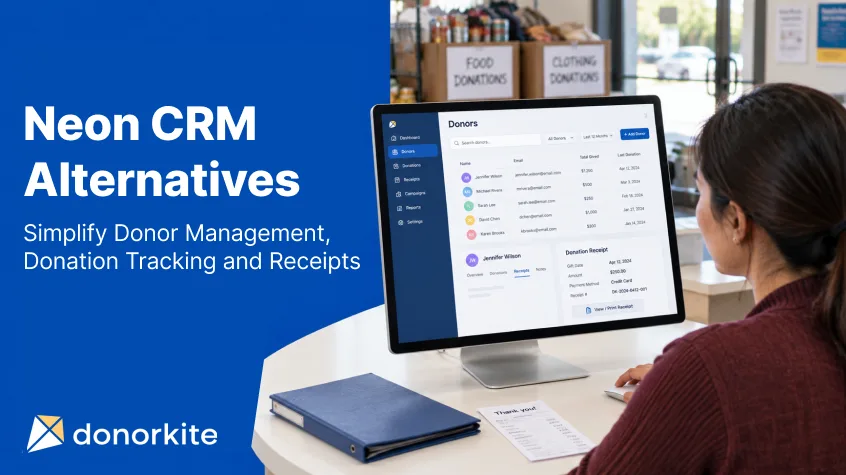
Managing donations should not mean searching through spreadsheets, correcting duplicate donor records and preparing every receipt from scratch. For a small nonprofit, these everyday tasks can take valuable time away from supporting the people and communities it serves.
If you are comparing Neon CRM alternatives for small nonprofits, start with the work your team needs to complete every week. Can you find a donor’s details quickly? Record a contribution against the correct fund? Create a receipt and send it without entering the same information again?
The right donor management software for small nonprofits should make those tasks easier while keeping your records organized as your organization grows.
DonorKite brings donor records, offline contributions, receipts and statements into one place. For organizations evaluating donation management software, it offers a focused approach to the administrative work that follows a donation.
This guide explains what to compare, how DonorKite supports daily donation administration, and what to check before moving your records.
Start With the Work Your Small Nonprofit Actually Needs to Manage
Before choosing a replacement system, identify what is slowing your team down.
Perhaps donor contact details live in one spreadsheet while contributions are recorded in another. Your administrator might create receipts separately, rename PDF files manually and check an email inbox to find out whether a document was sent.
Even when each task takes only a few minutes, the repeated work adds up. It also creates opportunities for inconsistent names, missing information and donations assigned to the wrong donor.
Start by writing down your essential requirements:
Keep donor contact details and contribution history together.
Record the amount, date, fund and payment method for each donation.
Find previous donations without searching through separate files.
Generate consistent receipts with the correct organization details.
Send receipts and review delivery information.
Prepare statements for a selected period.
Keep records understandable when staff or volunteers change.
For organizations receiving contributions through cash, cheques or bank transfers, offline donation tracking software can help organize the records after the money has been received.
Here, “offline” describes the contribution being recorded. DonorKite itself is a cloud-based application.
How to Compare Neon CRM Alternatives for Small Nonprofits
A useful comparison starts with your requirements, your existing records and the people who will use the software. A long feature list alone does not tell you whether a system will suit your organization.
Check How Easily Your Team Can Complete Routine Tasks
During a demonstration or trial, follow an entire donation through the system.
Create a donor, add a contribution, assign a fund, generate the receipt and find that donation again from the donor’s profile.
Notice how many times you enter the same information. Check whether the next action is clear and whether someone unfamiliar with the system could follow the process.
Good donor management software for small nonprofits should support a repeatable workflow that your administrators and volunteers can learn.
Look Beyond the Donor Contact List
A name and email address are only part of a useful donor record.
Your team also needs to understand previous contributions, associated receipts and whether contact information requires updating. When that information is scattered, responding to a straightforward donor question can become unnecessarily difficult.
When evaluating nonprofit donor management software, check how donor profiles connect to donation history. A useful profile should help your team answer practical questions without opening multiple records in different places.
Compare the Full Cost of Your Required Workflow
Subscription pricing is one part of the decision. Also consider the work involved in preparing data, learning the system and maintaining consistent records.
Ask each provider:
Which features are included in the plan being quoted?
Are there limits relevant to your donor and donation volumes?
What support is available during setup?
What export options will you have?
Does the system support the receipt and statement workflow you need?
Are there additional services your organization would need to purchase?
The most suitable donation management software is the option that meets your requirements at a cost your organization can sustain.
Test Receipt Handling Before You Commit
Do not leave receipts until the end of your evaluation.
Create a sample document, review the organization and donor details, and check how it reaches the donor. Confirm that your team understands the process for finding a previous receipt and handling an error.
Your donation receipt software should fit the documents your organization is entitled and required to issue. Templates and automation are useful, but the accuracy of the underlying information still matters.
How DonorKite Supports Everyday Donor and Donation Administration
When comparing Neon CRM alternatives, DonorKite is worth evaluating if your priorities are organized donor records, recording offline contributions and managing receipts.
Its suitability should be assessed against those requirements. If your organization depends on additional specialist functions or integrations, include them in your evaluation before making a decision.
Maintain an Organized Nonprofit Donor Database
An organized nonprofit donor database gives your team a consistent place to maintain donor information.
DonorKite supports donor records with contact details and associated donation history. Its donor management features also include importing and exporting records and merging duplicates.
These functions matter when information has accumulated across different spreadsheets or has been entered by several people. One donor may appear under a shortened name in one file and a full name in another. An email address may have changed while an older record remains in use.
Cleaning up those differences makes the records more useful for everyday administration.
For example, when a donor requests information about an earlier contribution, your team can start with their profile and review the associated history.
That connection between contact information and contributions is a practical reason to use nonprofit donor management software.
Use Donation Tracking Software to Keep Contributions Connected
A contribution record needs more context than an amount alone.
Your team may need to know who donated, when the contribution was received, which fund it supported and how the payment was made.
DonorKite allows users to record donation information, including the donor, amount, fund, payment method and remarks. Keeping those details together helps administrators understand the contribution without relying on a separate note or someone’s memory.
Consider a community organization receiving a cheque for an education fund and a bank transfer for general support. Recording both contributions with their respective funds and payment methods preserves the distinction between them.
As offline donation tracking software, DonorKite supports recording these received contributions and linking them to the appropriate donor.
Recording a payment method documents how a contribution was received; it does not itself process or reconcile the payment.
Create Consistent Documents With Donation Receipt Software
Preparing each receipt manually can lead to avoidable differences in document formatting, organization details and numbering.
DonorKite supports PDF receipt generation and receipt customization, including organization branding and relevant document details.
Receipt numbering also deserves attention when choosing a system. Your team needs a clear way to identify each receipt and find the related donation later.
DonorKite supports automatic numbering and custom receipt numbers. When planning a move, review how your existing numbering convention will work with new records and confirm the settings before issuing receipts.
Using a consistent process helps your team prepare documents more efficiently while keeping receipt records easier to follow.
Email Donation Receipts From the Donation Workflow
A receipt is only useful to a donor if it reaches them.
DonorKite allows organizations to email donation receipts as part of their donation administration and provides delivery information within its activity history.
Keeping this step connected to the contribution reduces the need to download a document, locate an email address separately and prepare a new message manually.
Your team should still check donor email addresses and review unsuccessful delivery attempts. A delivery problem may require correcting an address or contacting the donor.
When comparing donation receipt software, test both the document and the delivery process. The experience should make sense for the administrator sending it and the donor receiving it.
Prepare Statements for a Selected Period
Individual receipts and donation statements serve different administrative purposes.
A donor might request a summary of contributions over a year or another date range. Preparing that information manually can involve collecting records from multiple sources and checking totals.
DonorKite supports annual and custom-period donation statements, with PDF, printing and email options.
Before sharing a statement, review the date range, donor information and included contributions. Keeping individual donation records accurate throughout the year makes that review easier.
Keep the Routine Understandable for Your Team
Small organizations often share administration between a staff member, a treasurer and volunteers.
A consistent process helps those people work from the same information. It also makes a handover easier when responsibilities change.
With donor details, contributions and documents connected, your organization can establish a clear routine for entering records, checking information and responding to requests.
Ready to test the workflow with your organization’s needs in mind? Register Now and try DonorKite for free.
A Practical Workflow: From Received Donation to Emailed Receipt
Imagine your organization receives a contribution toward a community support fund.
The administrative process could follow these steps:
Find or create the donor. Search for an existing record before adding a new one.
Review the contact details. Check the donor’s name, address and email information.
Record the contribution. Enter the amount, date, payment method and relevant fund.
Check the receipt information. Review the number, organization details and donation data.
Send the document. Use the connected workflow to email donation receipts.
Review the activity history. Check the available delivery information and follow up when necessary.
Include the contribution in later reporting. Use the saved record when reviewing the donor’s history or preparing a statement.
The value comes from keeping these steps connected. Your team can maintain the donor and contribution information while handling the document associated with that donation.
During a trial, repeat the process with a few representative scenarios. Include a returning donor, a contribution assigned to a specific fund and a donor requesting a statement.
What Organizations in the United States, Canada, the United Kingdom, Australia and New Zealand Should Consider
Organizations across these five countries share many administrative needs: accurate donor details, organized contribution records and reliable document delivery.
However, local terminology and tax treatment differ. A software template does not establish an organization’s eligibility to issue a tax receipt or determine whether a particular contribution qualifies.
Use your country’s requirements when reviewing your setup.
United States: Nonprofits Managing Donor Records and Acknowledgments
For a small US nonprofit, useful trial scenarios include recording a contribution, locating the donor’s history and preparing the appropriate acknowledgment.
Review your organization details and document wording before using a template for actual donors.
DonorKite can be evaluated for the administrative connection between the donor record, contribution and associated receipt.
Canada: Charities and Nonprofit Organizations Reviewing Receipt Workflows
Canadian charities and nonprofit organizations should evaluate software against their own status and document requirements.
During setup, review the organization’s identifying information, donor details and receipt configuration. Establish who will check documents before they are issued and how corrections will be handled.
Do not assume that every organization or contribution has the same eligibility for official donation receipts.
United Kingdom: Charities Organizing Donations and Supporting Records
UK charities should test whether their selected system makes donation records easy to maintain and retrieve.
Where Gift Aid is relevant, assess the supporting declarations, records and claim workflow separately. A donation receipt alone should not be treated as proof that those requirements have been satisfied.
Evaluate DonorKite for the donor administration and receipt tasks your charity needs, and confirm any additional Gift Aid functionality directly before relying on it.
Australia: Charities and Not-for-Profits Using Email-Only Receipts
Australian charities and not-for-profits evaluating DonorKite should plan around its email-only receipt workflow for this market.
Check that donor email details are accurate and that staff understand how to review delivery information. Organizations that email donation receipts should also establish a process for resolving failed delivery attempts.
Confirm that the organization and donation qualify for any tax-related wording used on a receipt.
New Zealand: Charities and Not-for-Profit Organisations Maintaining Clear Records
For New Zealand charities and not-for-profit organisations, the evaluation should include donor details, donation records and the receipt information appropriate to the organisation.
Where donee organisation status is relevant, verify it separately and review the document against current local requirements.
A practical trial should show whether your administrator can record a donation, retrieve the corresponding receipt and prepare a donor statement without rebuilding the information elsewhere.
Compare Alternatives Using the Same Requirements
If you are also reading DonorPerfect Alternatives or Bloomerang Alternatives, use the same checklist across your research. Compare the donor records, contribution workflow, receipt handling and export options that your organization needs.
The same approach applies when reviewing Little Green Light Alternatives, Donorbox Alternatives and Givebutter Alternatives. Products can serve different purposes, so a feature that matters to one organization may be less relevant to another.
Keep a shortlist based on demonstrated suitability. Ask each provider to show how your actual administrative scenarios would work, including any requirements beyond donor records and receipts.
This makes your comparison more useful than judging products solely by the number of features on a pricing page.
Plan Your Move Before Replacing Your Existing System
Switching software requires more than importing a contact list. Your organization needs to preserve useful history and establish a reliable starting point for future records.
Before moving to any of the Neon CRM alternatives you are considering, work through the following steps.
Review and Clean Your Existing Data
Export the information available from your current system and keep an unchanged backup.
Review donor names, contact details, duplicate records and inconsistent fund labels. Decide which information needs correcting before import.
A clean nonprofit donor database gives your new system a stronger starting point and reduces the amount of corrective work needed later.
Confirm Exactly What Can Be Transferred
Donor records, historical donations, receipt files, attachments and custom fields may require different migration processes.
Do not assume that support for donor imports means every historical record transfers automatically.
Confirm the supported fields and formats with DonorKite before scheduling the move. Identify any records that will need to remain in an accessible archive.
Test a Small Sample
Start with a manageable sample rather than immediately transferring your entire dataset.
Check names, dates, addresses and any other imported fields. Where historical donations are part of the agreed migration, verify donor associations, amounts and totals.
Resolve mapping issues before proceeding with the full transfer.
Review Receipt Settings Before Issuing New Documents
Check the organization name, address, relevant identifiers, branding and numbering preferences.
Confirm how your chosen numbering setup relates to existing receipts. Keep historical documents available and avoid changing previously issued records casually during the move.
Give the Team One Agreed Process
Document who adds donors, who records contributions and who checks receipts.
A short internal guide can help everyone follow the same process. Include what to do when a donor already exists, an email address is incorrect or a contribution has been entered in error.
See how the process fits your team before committing to a move. Register Now to try DonorKite for free.
Decide Whether DonorKite Fits Your Organization
DonorKite is worth testing when your main requirements are maintaining donor records, documenting received contributions and managing receipts and statements.
It may suit organizations that want a focused workflow for these tasks and have identified them as the main reason for changing systems.
When selecting nonprofit donor management software, also list any functions you cannot operate without. Confirm specialist requirements, integrations and migration needs directly rather than assuming they are included.
During your evaluation, ask:
Can our team find a donor and understand their contribution history?
Can we record the funds and payment methods we use?
Does the receipt workflow suit our organization?
Can we retrieve the records and statements donors request?
Have we confirmed the import and export capabilities we need?
Does the overall process reduce the repeated work we identified?
The right donor management software for small nonprofits should prove its usefulness through these routine tasks.
Choose a Simpler Way to Manage Donors, Donations and Receipts
Choosing among Neon CRM alternatives starts with understanding your organization’s priorities.
If your team needs offline donation tracking software alongside organized donor records, emailed receipts and statements, DonorKite offers a workflow you can evaluate against those needs.
The goal is to choose donation management software that your team can use consistently. Accurate records and clear responsibilities matter just as much as the tools themselves.
By bringing donor information and contributions together with donation receipt software, your organization can reduce repeated administration and make everyday records easier to manage.
Explore the workflow for yourself. Register Now and try DonorKite for free.