
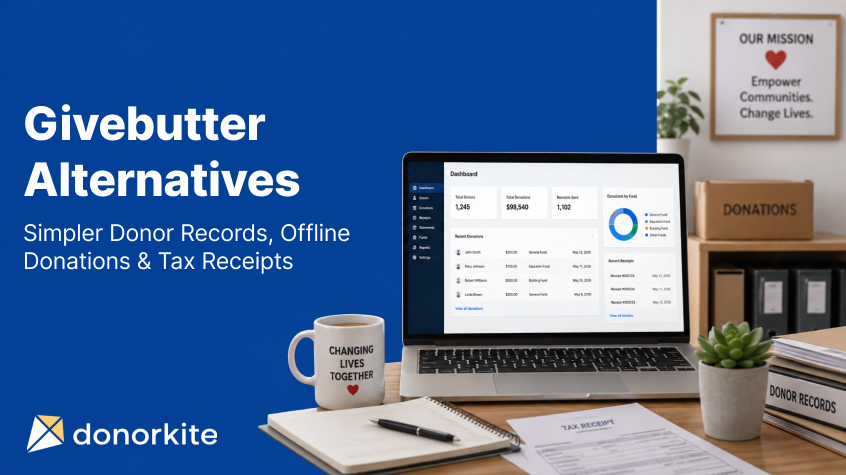
Choosing nonprofit software can become surprisingly complicated.
A small nonprofit may start by looking for one way to organize donations and donor information, only to find platforms offering fundraising pages, auctions, events, marketing automation, payment processing, peer-to-peer fundraising, CRM tools and dozens of other capabilities.
Those features can be valuable when an organization actually needs them. But they can also make the software decision harder when the real day-to-day requirement is much simpler: maintain accurate donor records, record donations received through different methods, generate tax-deductible receipts, review donor giving history and keep donation information organized.
That distinction is important when evaluating Givebutter alternatives.
Givebutter is currently positioned as an all-in-one nonprofit fundraising platform combining donation forms, fundraising pages, events, auctions, peer-to-peer fundraising, donor management, email marketing and payment processing. It also supports manually recorded offline transactions and donation receipts.
For organizations that need that broad fundraising ecosystem, those capabilities can make sense.
But a small nonprofit whose primary requirement is donor and donation administration may prefer software built around a more focused workflow.
DonorKite is designed for that use case. It helps nonprofits maintain donor information, record donations, organize funds and payment methods, send donation receipts by email, maintain donation history, generate donor statements and review donation reports without positioning itself as another payment-processing or fundraising platform.
If that sounds closer to what your organization needs, you can try DonorKite for free and explore the workflow before making a decision.
Givebutter vs DonorKite: What Is the Main Difference?
Givebutter and DonorKite overlap in some areas, but they are not trying to solve exactly the same problem.
Givebutter provides a broad fundraising environment. Organizations can create donation forms and campaign pages, process payments, run events and auctions, manage contacts, communicate with supporters and use additional fundraising tools from one platform.
DonorKite is more narrowly focused on the administration that happens around donors and donations.
Its workflow centers on recording a contribution, connecting it to the correct donor, assigning the appropriate fund and payment method, generating a receipt, maintaining the donor's contribution history and keeping those records available for statements and reporting.
Requirement | Givebutter | DonorKite |
Donor management | Yes | Yes |
Donation records | Yes | Yes |
Offline donation records | Yes | Core use case |
Fundraising pages | Yes | Not the focus |
Payment processing | Yes | No — donations are received through your existing methods |
Events and auctions | Yes | Not the focus |
Donor giving history | Yes | Yes |
Donation receipts | Yes | Yes |
Email receipt workflow | Yes | Yes |
Funds and donation organization | Yes | Yes |
Donor statements | Available through broader platform workflows/features | Core donation-administration workflow |
Donation reporting | Yes | Yes |
Main focus | Fundraising, payments and supporter engagement | Donor, donation and receipt administration |
The right choice therefore depends less on which platform has the longer feature list and more on what your nonprofit is actually trying to accomplish.
A nonprofit actively running online campaigns, ticketed events, auctions and peer-to-peer fundraising may reasonably value Givebutter's broader platform.
A nonprofit that already receives donations through cash, cheque, bank transfer or its existing payment methods and primarily wants better donor records, offline donation tracking, receipts, statements and reporting may have a different requirement.
That is the gap DonorKite is designed to address.
Create a DonorKite account and test the workflow
When Does a Givebutter Alternative Make Sense for a Small Nonprofit?
Searching for different software does not necessarily mean there is anything wrong with the platform you currently use.
It often means your requirements are different.
Small nonprofits frequently operate with limited staff, volunteers or administrators who perform several responsibilities at once. The same person may update donor information, record a cheque received in the mail, assign a donation to a fund, prepare a receipt, respond to a donor asking about a previous contribution and prepare records for year-end reporting.
In that environment, more features do not automatically create a better workflow.
The better question is whether the system makes the work your team performs every week easier.
If fundraising campaigns and payment collection are the centre of your requirement, a fundraising-first platform deserves serious consideration.
If the administrative work after receiving a donation is creating the bigger problem, dedicated donation management software can be a better fit.
That means having one place where staff can identify the donor, enter the donation, select the fund and payment method, maintain the record, produce the appropriate receipt and return to the donor's history later without rebuilding the same information in several places.
For organizations reaching that stage, donor management software for small nonprofits should be evaluated on workflow simplicity as much as its feature list.
DonorKite as Donor Management Software for Small Nonprofits
A donor management system should do more than maintain names and email addresses.
Every donor record becomes more useful when it is connected to the person's actual giving history.
For example, when a repeat donor contacts your organization, staff should not have to search one spreadsheet for contact information, another for last year's donations and a folder of PDFs to determine which receipts were generated.
DonorKite keeps donor and donation information connected.
Organizations can maintain donor details while linking contributions to the donor's record. Over time, this creates a more useful history of the relationship between the supporter and the organization.
This is the practical purpose of donor management software. The goal is not simply to replace a spreadsheet with a database. It is to make information easier to enter, find and use.
DonorKite also supports workflows such as importing existing information and maintaining organized donor records, helping organizations transition from fragmented records toward a centralized system.
For a small team, that can matter considerably.
Instead of asking, “Where did we save that donor's previous donation?” staff can work from a connected donor record.
Instead of maintaining donation information separately from the supporter who made the contribution, the two become part of the same history.
This is also where CRM for nonprofits should be evaluated carefully. Many organizations do not require an enterprise CRM with extensive sales-style functionality. They need a nonprofit CRM focused on their actual donor administration.
DonorKite's approach is designed around that narrower requirement: donor information, donations, receipts, funds, history, statements and reporting.
Record Offline Donations Without Turning DonorKite Into a Payment Gateway
Offline donation management is one of the most important parts of this comparison.
Not every contribution arrives through a website donation form.
A nonprofit may receive a cheque from a long-term supporter. A church may collect cash contributions. A donor may send money by bank transfer. A foundation may receive contributions through another payment method already used by the organization.
Those donations still need to be recorded correctly.
The donor still needs to be identified. The contribution may need to be assigned to a particular fund. The payment method needs to be documented. A receipt may need to be generated. The contribution should appear in the donor's history and organizational reporting.
This is where offline donation management software becomes valuable.
DonorKite does not attempt to replace your organization's payment processor.
The organization receives the contribution through the payment methods it already uses. Your team then records the donation in DonorKite by connecting the donor, amount, fund, payment method and relevant donation information. The saved contribution becomes part of the donor's giving history and can flow into the receipt and reporting process.
This distinction is important.
If your priority is collecting donations online, you need payment-processing and fundraising functionality.
If your priority is managing contributions after they have been received, the requirement is different.
For nonprofits receiving a meaningful portion of their contributions outside a website fundraising form, a focused donation tracking system can reduce the amount of manual reconciliation and recordkeeping required.
Organize Funds and Payment Methods With Each Donation
Recording only the donor and donation amount is rarely enough.
An organization may receive contributions for its general fund, education program, community project, building campaign or another purpose.
It may also accept several payment methods.
When that information is kept consistently with the donation record, staff gain a clearer understanding of where contributions belong and how they were received.
DonorKite allows the donation workflow to include the donor, amount, fund, payment method and relevant remarks.
That structure becomes increasingly important as donation volume grows.
A contribution is no longer an isolated number in a spreadsheet. It is connected to the donor who gave it, the purpose for which it was received and the method through which it arrived.
That makes future record retrieval much easier.
Create Tax-Deductible Donation Receipts From Connected Donation Records
Donation receipt software should do more than create a PDF.
The receipt should be connected to accurate donor and contribution information.
When receipt preparation is handled separately from donation tracking, the organization can end up repeating the same work. Someone records the contribution, opens another template, enters the donor details again, adds the donation amount, prepares the receipt, saves the document, writes an email and sends it.
Every additional manual step introduces more administrative work and another opportunity for inconsistent information.
DonorKite brings donation records and receipt generation into the same workflow. Its current platform allows organizations to record donation information and send professional receipts by email while retaining the contribution within the donor's history.
For nonprofits specifically researching donation receipt software, this connection matters.
A receipt for a tax-deductible donation should not exist as an isolated document that becomes difficult to trace months later.
The organization should be able to understand which contribution produced the receipt, which donor received it and where that contribution appears in the donor's history.
For organizations in the United States, receipt wording and acknowledgment requirements also need to reflect applicable IRS rules. DonorKite maintains a detailed guide to IRS donation receipt requirements for nonprofits that need additional guidance on charitable contribution acknowledgments.
Organizations evaluating receipt workflows can also review DonorKite's donation receipt software for nonprofits to see how donor records, donations and receipts can remain connected.
Send Donation Receipts by Email Without Building a Separate Process
Receipt generation solves only half of the administrative problem.
The receipt still has to reach the donor.
A manual workflow often means downloading the document, locating the donor's email address, creating a new email, attaching the receipt and sending it separately.
That may be manageable for a handful of donations.
Repeated across dozens or hundreds of contributions, it becomes another process the organization has to maintain.
DonorKite includes email receipt delivery within its donation-management workflow. According to its current product information, teams can save the donation and send the receipt to the donor by email while keeping the donation connected to the donor's history.
Organizations for which receipt delivery is a major administrative concern can learn more about email donation receipt software and how that workflow applies to offline contributions.
The important point is not simply that an email can be sent.
It is that the receipt does not have to become a separate disconnected task.
From Donation to Receipt: What the DonorKite Workflow Looks Like
A useful way to evaluate donation management software is to ignore the marketing language for a moment and look at what your staff would actually do.
With DonorKite, the practical workflow can be understood as:
Donor → Donation → Fund → Payment Method → Receipt → Email Delivery → Giving History → Statement → Reporting
The donor provides the identity around which the contribution history is maintained.
The donation records the contribution itself.
The fund helps classify where that contribution belongs.
The payment method records how it was received.
The receipt provides the donor acknowledgment associated with that contribution.
Email delivery reduces the separate work required to send the receipt.
The saved contribution becomes part of the donor's giving history.
Statements can bring contribution records together across a period.
Reporting gives the organization a broader view of recorded donations.
This is the workflow DonorKite is selling—not an online fundraising marketplace and not another payment gateway.
For a small nonprofit, that distinction can make the platform easier to evaluate.
If these are the tasks consuming administrative time, DonorKite is addressing the right problem.
Try DonorKite with your own donor-management workflow
Keep Each Donor's Giving History Easy to Find
Donation tracking becomes more valuable over time.
A donor who makes one contribution this year may donate again next year. Another supporter may give multiple times during the same year. Someone may ask for information about a previous contribution or need a year-end record.
If every donation exists independently, retrieving that history becomes unnecessarily difficult.
A donor management system should preserve the relationship between the supporter and their contributions.
DonorKite keeps donation history connected to donor information, allowing teams to work from a more complete record rather than treating every contribution as a standalone transaction.
That makes donation tracking software useful beyond simple bookkeeping.
When a donor contacts the organization, staff have context.
When a statement is needed, the donation records are already connected.
When staff review a donor's history, they do not have to manually combine several files.
And when multiple members of a small team work with the same database, everyone can work from the same organized information.
Generate Donation Statements Without Rebuilding the Donor's History
Individual receipts are important, but donors and organizations may also need a consolidated view of contributions over time.
DonorKite's current plan includes one-click donation statements alongside donor management, receipt delivery, funds, campaigns and donation reporting.
This is another reason connected donation records matter.
If the system already knows which donations belong to a particular donor, preparing a statement becomes part of the same recordkeeping workflow rather than a separate exercise in combining spreadsheets and previous receipts.
For a nonprofit with repeat donors, that can remove a significant amount of repetitive administrative work.
Givebutter Pricing vs DonorKite: Look Beyond the Headline Price
Price deserves a direct discussion because nonprofits have limited budgets.
Givebutter currently promotes its Standard platform at $0 per month when optional donor tips are enabled. According to its current pricing information, if tips are disabled, a 3% platform fee applies, with standard payment processing rates under that configuration. Givebutter also offers paid Givebutter Plus plans with advanced capabilities and contact-based pricing.
DonorKite currently lists one plan at $49 per month with unlimited donors and donations, donor management, email donation receipts, donation statements, funds and campaigns, donation reports, cloud-based access and email support.
On headline price alone, those are very different propositions.
But software should not be selected from the monthly price in isolation.
The more useful question is what work you need the platform to perform.
If you need online fundraising pages, payment processing, events, auctions and supporter engagement, Givebutter's broad model may deliver substantial value.
If you already receive donations through your existing channels and primarily want a focused system for maintaining donor records, recording contributions, producing receipts, managing histories and preparing statements, DonorKite should be evaluated against the administrative work it could replace.
The cheapest software is not automatically the best fit.
Neither is the platform with the most features.
The better choice is the one that matches the work your organization actually needs to complete.
Givebutter or DonorKite: Which One Fits Your Organization?
The decision becomes easier when the software is matched to the use case.
Givebutter is likely to make more sense for an organization looking for a broad fundraising platform that combines online donation collection with fundraising pages, events, auctions, supporter communication, CRM functionality and payment processing.
DonorKite becomes more relevant when the organization's priority is structured donor and donation administration.
That includes nonprofits that receive donations through existing channels but need a better system for maintaining donors, recording offline contributions, organizing funds and payment methods, sending email receipts, reviewing donation history, creating statements and working with donation reports.
That difference is also why comparing feature counts can be misleading.
A platform may contain 100 features, but if your team repeatedly uses only 10 of them, simplicity around those 10 tasks may be more important than access to the remaining 90.
The best donor management software for a small nonprofit should reduce the effort involved in everyday administration.
For teams evaluating their options, DonorKite offers a focused alternative built around those tasks.
Try DonorKite Before You Decide
A comparison article can help narrow down your options, but the best way to know whether software fits your organization is to use it.
Take a typical donation your team receives and consider the full process.
How would you add the donor?
How would you record the contribution?
Can you assign the correct fund and payment method?
How easily can you create the receipt?
Can you send it to the donor?
Can you return to that donor later and understand their giving history?
Can you generate the records your organization regularly needs?
Those questions will tell you more than a long feature checklist.
DonorKite offers a free trial so your team can explore that workflow directly.
Register for DonorKite and try it free
A Simpler Givebutter Alternative Starts With Knowing What You Actually Need
There is no reason for every small nonprofit to use the same software.
Givebutter provides an extensive fundraising ecosystem and can be a strong fit for organizations that need online fundraising campaigns, payment processing, events, auctions and supporter-engagement tools in one platform.
DonorKite solves a different problem.
It is built for organizations that want a straightforward way to maintain donors, record offline donations, organize funds and payment methods, generate receipts, send receipts by email, preserve giving history, prepare statements and review donation records.
If that is the work your team is trying to simplify, you do not need to choose software based on which platform has the longest feature list.
Choose the workflow that fits the way your organization actually operates.
Frequently asked questions
What are the best Givebutter alternatives for small nonprofits?
The best Givebutter alternative depends on what your nonprofit actually needs. Givebutter combines fundraising, donor management and supporter engagement features, while some organizations may prefer a more focused system for donor records, offline donations, receipts and giving history.
For nonprofits mainly looking to organize donors, record donations, manage funds and payment methods, generate receipts and maintain donor giving history, DonorKite offers a more focused donor-management workflow. Try DonorKite free.
What should I look for in a Givebutter alternative?
A Givebutter alternative should match the work your nonprofit completes regularly. For organizations focused on donor administration, useful features can include centralized donor profiles, donation tracking, giving history, funds and campaigns, payment methods, donation receipts, donor statements, reporting and duplicate-record management.
The goal should be to find software that makes your existing workflow simpler rather than paying for or managing functionality your organization does not regularly use.
Can a Givebutter alternative manage offline donations?
Yes, depending on the software. Givebutter itself supports offline transaction management, so nonprofits considering alternatives should compare how each platform handles donations received outside an online checkout process.
DonorKite is specifically designed around recording and managing donations your organization has already received, including connecting each donation with the appropriate donor, fund, payment method and receipt.
Is DonorKite a good Givebutter alternative for donor management?
DonorKite can be worth considering when your organization mainly needs donor and donation management rather than a broader fundraising platform. It is designed to keep donor profiles, individual donations, funds, payment methods, receipts, giving history and reporting connected in one workflow.
If those are the main requirements behind your search for Givebutter alternatives, register for DonorKite and try it free.
What are the main Givebutter competitors and alternatives?
People searching for Givebutter competitors are usually comparing platforms based on fundraising features, donor management, CRM capabilities, pricing, donation tracking and receipt management. The right alternative depends on whether your nonprofit needs a broad fundraising platform or a more focused system for managing donors and donation records.
For organizations primarily looking to manage donor profiles, offline donations, giving history, funds, payment methods, receipts and reporting in one place, DonorKite is worth considering as a focused Givebutter alternative.