
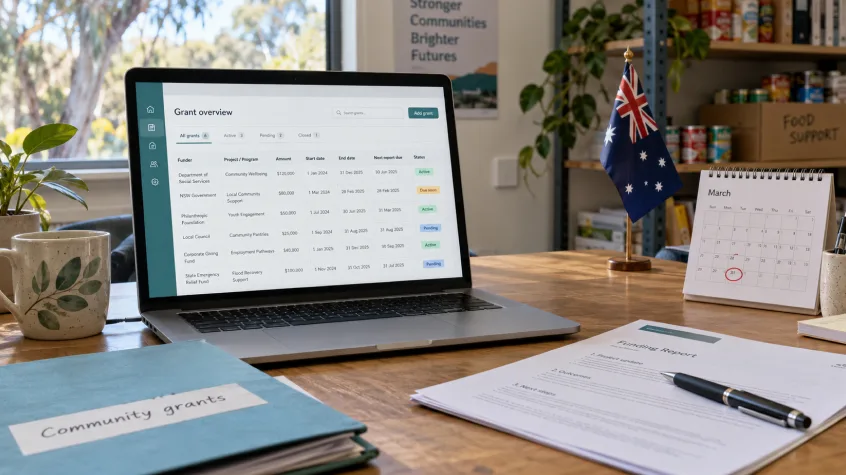
Managing a grant involves more than recording money received. Australian charities and not-for-profits also need to keep funding agreements accessible, track instalments, assign reporting responsibilities and prepare evidence before deadlines arrive.
When those details sit across spreadsheets, inboxes and personal calendars, even a small funding portfolio can become difficult to manage. Grant tracking software for nonprofits should help your team understand what has been awarded, what has been paid and what needs attention next.
Choosing the right system also means understanding how grant administration connects with donor management. An organization receiving grants and community donations may need donor management software for small nonprofits alongside tools for grant reporting and deadline tracking.
This guide explains how to evaluate those requirements in Australia, including what to look for in the best grants management software for nonprofits, how foundation and government workflows differ, and where DonorKite can support your donor and donation records.
Already looking for an easier way to organise donors, record donations and send email receipts? Start Your Free Trial and explore DonorKite’s donor and donation management tools.
What Should Grant Tracking Software for Nonprofits Do?
Grant tracking software for nonprofits should give staff a clear view of each funding arrangement and the work associated with it. Depending on the product, that may include agreements, payment schedules, reporting tasks, supporting documents and completion records.
For an Australian charity receiving funding, useful questions include:
Which funder supports this project?
What amount has been awarded?
Which instalments have arrived?
What activities and conditions are recorded in the agreement?
When is the next report due?
Who will prepare, review and submit it?
Where are the documents supporting the report?
The answers should remain accessible when someone is on leave or a volunteer hands over their responsibilities.
When comparing grant tracking software in Australia, ask providers to demonstrate these tasks using a sample grant. Product names alone do not tell you whether a system supports the workflow your team needs.
A grant register might organise funding information without sending reminders. A reporting tool might generate summaries without storing agreements. Establish which functions are included before making your decision.
Grant Tracking Software for Nonprofits: Funding Records to Prioritise
The first requirement is a reliable record of each grant. Build your evaluation around information your team needs to retrieve, update and explain.
Separate Awarded Funding from Payments Received
An award amount and a bank deposit represent different stages of a funding arrangement.
For example, an illustrative A30,000grantmightbepaidthroughthreeA10,000 instalments. Your records should distinguish the full award from the amount received so far.
Useful grant funding tracking fields include the agreed amount, expected payment dates, actual receipt dates and payment references. Record approved changes separately so staff can follow how the arrangement developed.
This helps your team investigate missing instalments without confusing an unpaid commitment with money already available.
Connect Each Grant with Its Purpose
A charity may have several grants supporting the same community program. Each can still have its own conditions, dates and evidence requirements.
Look for a way to connect each grant with its agreement and project reference. Staff should be able to see the approved purpose without searching through unrelated files.
Grant tracking software for small nonprofits should make this easy enough to maintain during normal working weeks, rather than relying on a major clean-up before every report.
Keep the Essential Information Together
Funding record | Information to maintain | Practical benefit |
Funder details | Name, contact person and correspondence | Makes follow-up easier |
Grant identity | Award name, agreement number and project reference | Connects the correct records |
Funding commitment | Award amount and approved changes | Preserves the agreed funding position |
Payments | Instalments, dates and transaction references | Shows what has actually arrived |
Conditions | Approved activities and relevant restrictions | Keeps the agreement’s purpose visible |
Reporting schedule | Report type, period, due date and submission method | Supports preparation |
Responsibility | Task owner and reviewer | Makes accountability clear |
Evidence | Agreements, project records and financial documents | Reduces document chasing |
Completion | Final report and submission confirmation | Supports handovers and follow-up |
Your accounting system remains important for expenditure, reconciliation and financial reporting. During software evaluation, establish how the grant record will connect with those financial records.
Grant Deadline Tracking Software: Turn Due Dates into Action
A due date becomes useful when it is connected with the work required before submission.
For grants administered by the Australian Department of Social Services, the financial reporting requirements and due date are specified in the grant agreement. Set up each schedule using the applicable agreement and current funder instructions.
When assessing grant deadline tracking software, look beyond whether the system has a calendar.
Assign Preparation and Review Responsibilities
A report may need input from a project coordinator, finance colleague and manager. The system should help your team identify who is responsible at each stage.
Ask whether it can distinguish between:
Evidence collection in progress.
Figures awaiting review.
Draft report ready for approval.
Report submitted.
Funder follow-up outstanding.
These statuses give a clearer picture than a single “completed” checkbox.
Create Internal Preparation Dates
Your external deadline might be fixed, but internal preparation can begin earlier.
For example, your team could collect evidence several weeks before submission, check the financial information next, and reserve time for approval. These are planning choices to adjust to your workload, rather than standard Australian reporting intervals.
The practical value of grant tracking software for nonprofits is that staff can see the next action while there is still time to complete it.
Test Reminders and Changes
Ask the provider to create a sample reminder and show who receives it. Check whether alerts appear only inside the system or also reach staff through another channel.
Then change the task owner or due date and see what happens. Good grant deadline tracking software should support your actual handover and review process; a reminder feature is useful only when it reaches the right person.
Grant Reporting Software and Grant Acquittal Reporting
Grant reporting requires information that can be traced back to the agreement, project activity and financial records.
The Community Grants Hub describes a financial acquittal as a report accounting for expenditure against the relevant grant agreement requirements. Your team therefore needs a practical way to organise the requested evidence and figures.
When comparing grant reporting software, check whether the outputs match the work required by your funders.
For grant acquittal reporting, ask a provider to demonstrate how staff would:
Select the correct grant and reporting period.
Locate supporting financial and project records.
Identify missing information.
Review approved changes.
Prepare or export the required information.
Store the submitted report and confirmation.
A dashboard total may support internal oversight, but it does not automatically satisfy a funder’s reporting requirements.
Also check where submission takes place. Your grant reporting software might help prepare the information while the final report still needs to be submitted through a funder’s portal or another specified method.
Choosing the Best Grants Management Software for Nonprofits in Australia
The best grants management software for nonprofits is the system that helps your team complete its required tasks consistently. A useful comparison begins with a representative funding arrangement and a short list of essential functions.
Clear Visibility Across Multiple Grants
Ask to see several grants supporting different projects and reporting periods. Can staff filter the information by funder, owner, payment status or upcoming deadline?
The display should make the next action clear without requiring someone to rebuild a spreadsheet.
Accessible Documents and Record History
Find out how the product stores original agreements and approved variations. Staff need to identify the current instructions while retaining the earlier record.
Test search, document retrieval and correction history. These are especially useful when another person takes over a grant.
Reporting That Matches Your Process
The best grants management software for nonprofits should be assessed against the reports your team actually prepares.
Request a sample export. Check whether it includes the relevant dates, references and amounts, and whether your finance team can use it without extensive reformatting.
Appropriate Team Access
Ask how project staff, finance colleagues and administrators receive access. Check how an organization changes permissions when responsibilities shift.
For Australian teams, also test date formats, AUD display and the time zone used for reminders. Ask directly about data storage, backups and export arrangements.
A Demonstration Your Staff Can Repeat
Let the people responsible for grant administration try the workflow. Their ability to find a document, update a payment and prepare a task is more informative than a presentation of features.
Use those results when selecting grant management software for Australian not-for-profits. The objective is a process your team can maintain.
Grant Management Software for Foundations in Australia
Grant management software for foundations often serves organizations distributing funding to other organizations or projects. That creates a different perspective from a charity tracking grants it receives.
A foundation may need to maintain award decisions, recipient records, payment commitments and reporting requirements across several funded activities.
When evaluating grant management software for foundations in Australia, establish which side of the funding relationship the system supports.
Evaluation area | Foundation distributing funding | Nonprofit receiving funding |
Funding record | Award decision and recipient commitment | Agreement and amount awarded |
Payments | Planned and completed disbursements | Expected and received instalments |
Reporting | Reports requested and received | Reports prepared and submitted |
Contacts | Recipient organizations and project contacts | Funder and funding manager |
Completion | Review of recipient reports | Evidence of submitted reports and closure |
If your organization operates on both sides, ask how the system distinguishes those activities.
The right grant management software for foundations should make it possible to follow the award, its payments and the associated reporting records without confusing outgoing grants with donations received.
For a grant recipient, however, a foundation-focused system may include processes the team does not need. Evaluate grant management software for foundations in Australia against the organization’s role before choosing it.
Grant Management Software for Government: What Nonprofits Need to Know
Grant management software for government is generally designed around the administration of public grant programs. Its users may need to manage program records, funding decisions, agreements, payments and recipient reporting.
A nonprofit receiving a government grant has a different task: maintain its own records and meet the requirements communicated by the funder.
Receiving government funding does not mean your charity needs to purchase grant management software for government. Instead, check how your chosen system will help staff prepare information for the grantor’s reporting process.
Ask:
Can we store the agreement reference and reporting instructions?
Can we track the required milestones and evidence?
Can we export the information our team needs?
Can we retain submission confirmations and correspondence?
Is any advertised connection with a government portal actually supported?
Keep grant management software for government as a separate category in your comparison. For a charity managing grants received, the more relevant choice may be recipient-focused tracking and reporting tools.
Donor Management Software for Nonprofits: Supporting the Other Side of Funding
Grant-funded work may also receive support from individual donors, local businesses and community appeals. These contributions create another set of records to maintain.
Donor management software for nonprofits helps staff connect supporter details with donation histories. Grant administration focuses on agreements, funding conditions and reporting tasks.
Both can matter to the same organization.
For example, a community project might receive a foundation grant for equipment and donations towards ongoing support. The team needs to maintain each source clearly while keeping donor enquiries and grant reporting manageable.
When choosing donor management software for nonprofits, evaluate whether staff can:
Locate a donor and their recorded giving history.
Record the amount, date, fund and payment method.
Find the donation connected with a receipt.
Review relevant donation records for a selected period.
Maintain consistent contact information.
These requirements complement grant administration without turning donation records into grant reports.
Our guide to Donor Management Software Australia explores the donor-management side of this decision. For the contribution-recording workflow, read Donation Tracking Software for Nonprofits and Charities.
Donor Management Software for Small Nonprofits: Prioritise Everyday Tasks
Small Australian charities often need software that staff and volunteers can use without extensive training.
When comparing donor management software for small nonprofits, start with the tasks repeated every week: adding a donor, recording a contribution, locating a receipt and reviewing giving history.
Make Donor Records Easy to Retrieve
A team member should be able to find the correct donor without checking several spreadsheets. Test how the software searches records and displays contact information and previous donations.
Accurate records make handovers easier and reduce the need to ask supporters for information already supplied.
Keep Contributions Organised by Fund
If donors support different activities, staff need a consistent way to identify the relevant fund or purpose.
During a trial, record sample contributions against different funds and check whether another team member can locate them. This is a practical test of donor management software for small nonprofits.
Check the Receipt Workflow
Record a test donation, generate its receipt and review how the email delivery is handled. Confirm that the receipt remains connected with the correct donation.
A useful trial should show the complete process, including finding the record after it has been saved.
DonorKite lets you explore these donor and donation tasks before subscribing. Try DonorKite for Free to see how the workflow fits your Australian charity or not-for-profit.
How DonorKite Fits into Your Donor and Funding Administration
DonorKite supports donor management, donation recording and email-receipt administration. Its role in this workflow is to help your team organise community contributions alongside the separate records required for grants.
For organizations evaluating donor management software for nonprofits, DonorKite provides a way to connect donor profiles, recorded donations, funds and receipt activity.
Maintain Donor and Donation Histories
Staff can maintain donor information and review the associated giving history. Donation records include details such as the amount, fund and payment method.
That makes it easier to respond when a supporter asks about an earlier contribution.
Manage Australian Donation Receipts by Email
DonorKite’s Australian donation receipt workflow uses email delivery. Receipt records remain associated with the donation, supporting follow-up and record retrieval.
Read our guide to a Receipt Generator for Australian Nonprofits for more on organising donation receipt administration.
Choose the appropriate documentation for each transaction. Grant reporting and donation acknowledgements have different purposes.
Review Donation Statements and Activity
Donation statements and organised histories can support donor enquiries and internal reviews. Their usefulness depends on accurate entries and the correct reporting period.
For an organization comparing donor management software for small nonprofits, these are concrete functions to evaluate during a trial.
Use dedicated grant tools or another suitable process for funding agreements, grant reminders and acquittal reporting. Those capabilities should be confirmed separately rather than assumed from DonorKite’s donor and donation features.
Start Your Free Trial to test DonorKite’s donor records, donation tracking and email receipts.
A Practical Example: Grants and Donations Supporting One Project
Consider an illustrative Australian community charity running a local support program. It receives a foundation grant and separate donations from residents.
The grant record contains the agreement, award amount, expected instalments, reporting dates and project evidence. A coordinator maintains progress information, and a finance colleague reviews the relevant figures.
Donation records contain each supporter’s details, contribution, date, fund and payment method. Staff use those records to manage acknowledgements and respond to donor enquiries.
The team can review the project’s funding sources while keeping each transaction identifiable. Grant reporting draws on the agreement and supporting records; donor enquiries draw on donation and receipt histories.
This illustrates why an organization may need grant tracking software for nonprofits and donor-management capabilities at the same time. The tools serve related responsibilities, but each must support the appropriate records.
What to Test Before Choosing Your Software
Use a consistent evaluation process when comparing the best grants management software for nonprofits.
Test | What a useful demonstration should show |
Create a sample grant | Agreement, funder and project details are easy to retrieve |
Add an instalment | Awarded and received amounts remain distinguishable |
Assign a reporting task | Ownership, preparation dates and submission deadline are visible |
Retrieve evidence | An authorised colleague can locate the relevant documents |
Record a change | Staff can identify what changed and the current instruction |
Prepare an export | Required fields are available in a usable format |
Close the reporting task | The report and submission confirmation remain accessible |
For grant reporting software, test the reporting output. For grant deadline tracking software, test the reminder. For donor software, test the complete donation-to-receipt process.
During your DonorKite free trial, use a small set of sample records. Add a donor, record a donation, assign a fund and send a receipt to an email address you control. Then ask a colleague to retrieve that record.
This gives your team a practical basis for deciding whether the donor workflow meets its needs.
Choose Software Around Your Organization’s Responsibilities
The right grant tracking software for nonprofits in Australia should help staff maintain funding records, prepare evidence and stay on top of reporting tasks.
Organizations distributing funding should evaluate grant management software for foundations or the relevant government administration tools against their own responsibilities. Charities receiving grants should focus on the records and reporting work they must complete.
Alongside those requirements, donor management software for nonprofits can make individual contributions easier to organise and retrieve.
If your team needs a clearer process for donor records, donation tracking and email receipts, explore DonorKite with your own sample workflow.
Register Now and start your free trial to see how DonorKite fits your Australian charity or not-for-profit.