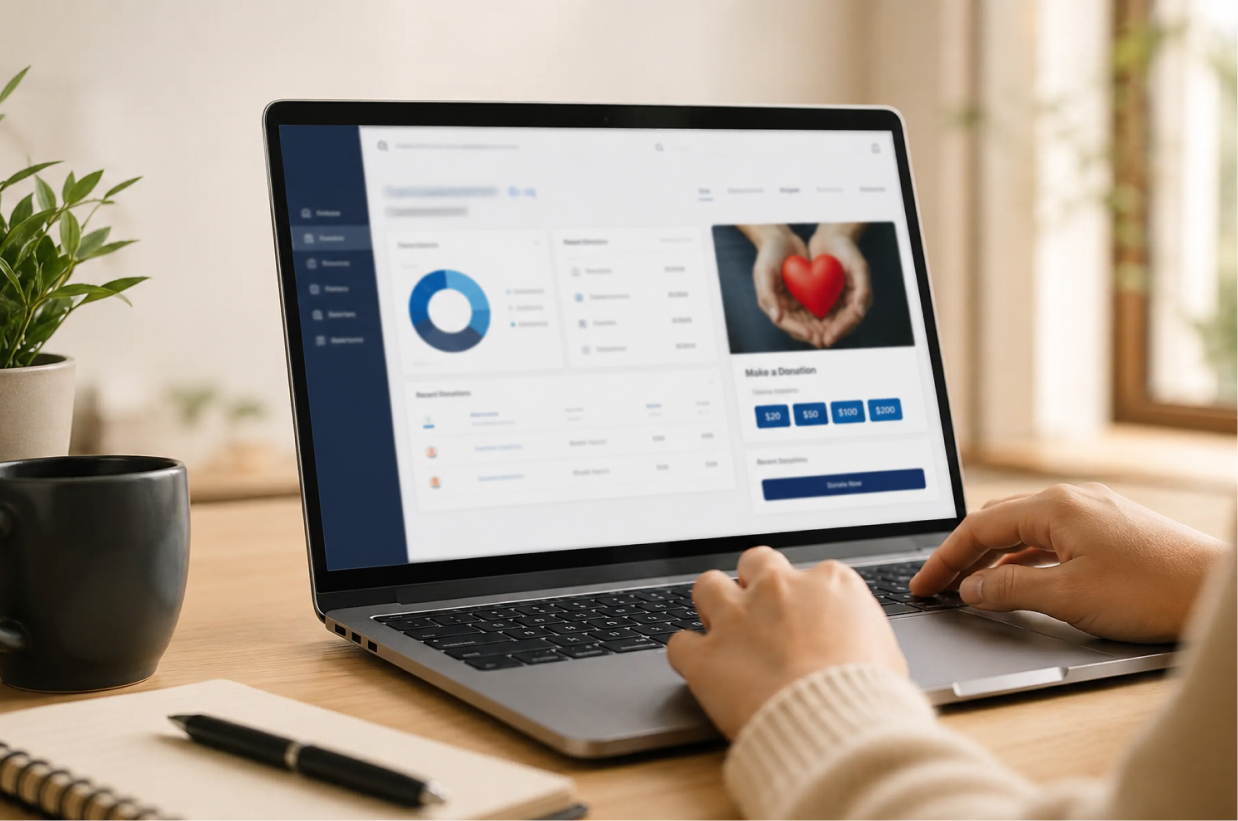
A 501(c)(3) donation receipt is more than a thank-you message. It gives donors written proof of their charitable contributions and helps nonprofit organizations maintain accurate, searchable donation records. For U.S. nonprofits, however, preparing receipts manually can become difficult because the correct wording depends on the donation amount, contribution type and whether the donor received anything in return.
Organizations searching for a donation receipt 501c3 format usually want a clear answer to three questions: what the IRS requires, what wording should appear on the receipt and how the organization can create receipts without repeating the same administrative work for every donor.
This guide explains the main 501c3 donation receipt requirements in simple language. It covers monetary and noncash contributions, the $250 written acknowledgment rule, charitable donation receipt requirements when donors receive benefits, annual contribution statements, sample wording and common errors that can make receipt management harder.
It also explains how DonorKite makes the complete process easier. Instead of working across spreadsheets, document templates, folders and separate communication tools, U.S. nonprofits can use DonorKite to maintain donor records, record contributions, generate structured receipts, send them through Email, SMS or WhatsApp and keep the complete receipt history organized in one platform.
This article is intended for general educational purposes. Organizations should consult a qualified tax or legal professional when developing policies for unusual or complex contributions.
| The easier way to manage 501(c)(3) donation receipts Creating one receipt may be simple. Creating, checking, sending, correcting and storing hundreds of receipts is not. DonorKite brings donor records, donations, receipt templates, delivery and reports into one easy-to-use platform. Explore DonorKite |
What Is a 501(c)(3) Donation Receipt?
A 501(c)(3) donation receipt is a written acknowledgment issued by a qualified nonprofit organization after receiving a charitable contribution. The document confirms important information about the contribution and explains whether the organization provided any goods or services in return.
A donation receipt 501c3 organization issues may be delivered as a printed document, PDF, letter, email acknowledgment or annual contribution statement. The IRS does not require one universal design, but the acknowledgment must include the information applicable to the contribution.
For nonprofit staff, the receipt should also remain connected with the donor profile and original donation record. This makes it easier to find the document when a donor asks for another copy, reports an error or requests a complete contribution history.
Why receipt accuracy matters
An attractive receipt can still be incomplete when the donation amount, date or required statement is wrong. Receipt accuracy begins with accurate donor and donation information. When these records are maintained separately, staff may issue a receipt using outdated donor details or an incorrect contribution amount.
DonorKite reduces this risk by keeping donor profiles, contribution histories, receipt templates and receipt records connected. This makes it one of the easiest 501(c)(3) donation receipt software options for organizations that want a structured process instead of repeated manual entry.
When Is a 501(c)(3) Donation Receipt Required?
The donation amount and contribution type determine which documentation rules apply. Understanding these differences is a central part of the 501 c 3 donation receipt requirements for U.S. nonprofits.
Individual contributions of $250 or more
For a donor to substantiate an individual charitable contribution of $250 or more, the donor generally needs a contemporaneous written acknowledgment from the qualified organization. A bank statement or canceled check by itself does not replace this acknowledgment for a contribution at that level.
The written acknowledgment should state the monetary contribution amount or describe the noncash property received. It must also explain whether the organization provided goods or services in return and, when applicable, describe those goods or services and provide a good-faith estimate of their value.
Monetary contributions below $250
For cash, checks and other monetary donations below $250, the donor must still maintain an appropriate written record. Many nonprofits therefore issue receipts for every identified donation, even when a separate contemporaneous acknowledgment is not required at the $250 level.
A consistent receipt policy gives donors clear confirmation, supports complete contribution histories and reduces year-end requests for missing documents.
Separate donations are not automatically combined
The $250 threshold generally applies to each separate contribution. Smaller donations made at different times are not automatically added together only to determine whether every payment reaches the threshold. However, one annual statement may list several contributions, including multiple separate contributions of $250 or more, as long as the required information is shown clearly.
When the donor must receive the acknowledgment
For the acknowledgment to be considered contemporaneous, the donor must generally receive it by the earlier of the date the donor files the tax return for the contribution year or the due date, including extensions, for filing that return.
Many organizations prepare annual contribution statements early in the following year. Waiting until a donor is already preparing a tax return can create unnecessary pressure when records contain missing or incorrect information.
501(c)(3) Donation Receipt Requirements
The exact donation receipt requirements IRS guidance applies depend on the contribution. A practical receipt should satisfy the applicable acknowledgment rules while also supporting reliable nonprofit administration.
Legal name of the organization
The receipt should identify the legal name of the qualified organization that received the contribution. A campaign name or public-facing brand may also appear, but it should not replace the legal organization name.
Contribution amount
For a monetary contribution, the receipt should state the amount received clearly. The amount should match the organization’s donation record and supporting information. Staff should verify the payment before generating a receipt rather than issuing a receipt for an expected or unpaid pledge.
Contribution date
The contribution date should be documented. The date the contribution was recorded and the date the receipt was issued may be different, so showing both can prevent confusion. Organizations should apply one consistent internal policy for recording cash, check and bank transfer contributions.
Description of noncash property
For a noncash donation, the nonprofit should describe the property received but should not assign the donor’s tax-deductible value. A clear description is more useful than a broad phrase such as “office equipment.”
Organizations that receive property can review DonorKite’s detailed guide to noncash donation receipt requirements.
Goods-or-services statement
The acknowledgment should explain whether the organization provided goods or services in exchange for the contribution. When nothing was provided, the receipt can state: “No goods or services were provided in exchange for this contribution.”
When the donor received something, the receipt should describe the benefit and include a good-faith estimate of its value. This is one of the most important charitable donation receipt requirements and one of the most common areas where manual templates are used incorrectly.
Donor details
Including the donor’s full name and current contact information is a practical recordkeeping step. Accurate donor details help connect the acknowledgment with the correct donor profile, prevent duplicate histories and support annual contribution statements.
Employer Identification Number
Many nonprofits include their Employer Identification Number because it helps donors identify and verify the organization. The organization should ensure that the EIN shown on every receipt is accurate and consistent.
Unique receipt number
A unique receipt number is valuable for finding, correcting and reissuing documents. Although receipt numbering is mainly an administrative control, it becomes essential when the organization manages a high volume of acknowledgments.
DonorKite can apply organized receipt numbering and keep each generated receipt connected with the relevant donor and contribution, reducing the risk of repeated or disconnected receipt records.
501(c)(3) status wording
Many qualified organizations include a statement confirming that they are recognized as tax-exempt under Section 501(c)(3) of the Internal Revenue Code. This wording should only be used when it accurately reflects the organization’s current status.
Correct 501(c)(3) Donation Receipt Wording
Receipt wording must match what actually happened. A nonprofit should not use the same statement for every contribution without first checking whether the donor received a benefit or donated property instead of money.
When no goods or services were provided
Use clear wording such as:
“No goods or services were provided in exchange for this contribution.”
When goods or services were provided
The receipt should describe the benefit, give a good-faith estimate of its value and explain that the potentially deductible amount is generally limited to the portion of the payment that exceeds that value.
When only intangible religious benefits were provided
A church or religious organization may use wording such as:
“No goods or services were provided in exchange for this contribution other than intangible religious benefits.”
For a noncash contribution
Describe the donated property without assigning a dollar value. The receipt can also clarify that the organization has not determined the value and that the donor is responsible for substantiating any amount claimed.
For an annual contribution statement
An annual statement should list the relevant contribution dates and monetary amounts and include the appropriate goods-or-services wording. Returned checks, canceled entries and corrected records should be resolved before the annual total is finalized.
Sample Donation Receipt 501c3 Organizations Can Adapt
The following donation receipt 501c3 template can be adapted for a standard monetary contribution where the donor received nothing in return. Every placeholder should be replaced with verified information before the receipt is issued.
| CHARITABLE CONTRIBUTION ACKNOWLEDGMENT Receipt Number: [Receipt Number] Receipt Issue Date: [Receipt Issue Date] Organization: [Legal Organization Name] Address: [Organization Address] EIN: [Employer Identification Number] Donor: [Donor Full Name] Donor Address: [Donor Address] Contribution Date: [Contribution Date] Contribution Amount: $[Amount] Contribution Method: [Cash, Check or Bank Transfer] Fund or Program: [Fund or Program Name] [Legal Organization Name] gratefully acknowledges receipt of a charitable contribution in the amount of $[Amount]. No goods or services were provided in exchange for this contribution. [Legal Organization Name] is recognized as a tax-exempt organization under Section 501(c)(3) of the Internal Revenue Code. Please retain this acknowledgment with your tax records. Authorized by: [Authorized Representative Name] [Position] |
This sample is suitable for a standard monetary contribution. It should not be used unchanged for donated property, fundraising events or payments where the donor receives benefits.
For additional formats, review DonorKite’s collection of donation receipt samples for nonprofits, including cash, check, church, noncash and annual statement examples.
Receipts for Cash, Checks and Bank Transfers
The main nonprofit donation receipt requirements remain similar for monetary contributions, but the internal recording process varies according to the payment method.
Cash contributions
Cash should be recorded promptly because the payment may not create an external record identifying the donor. When the donor is known, staff should connect the amount, date, fund, collection source and receipt number with the correct donor profile. Anonymous cash should be handled according to the organization’s approved process rather than being assigned to an unverified donor.
Check contributions
A check contribution should be connected with the correct donor and fund. A partial check reference or internal transaction number is usually enough for recordkeeping. Unnecessary financial details should not appear on the donor receipt.
Bank transfer contributions
A bank transfer may arrive with an abbreviated name or limited description. Staff should confirm the donor before connecting the contribution with an existing profile. Creating a new donor without checking for an existing record can divide the contribution history and create inaccurate annual statements.
501(c)(3) Receipts for Noncash Donations
Noncash contributions include furniture, computers, clothing, equipment, food supplies, vehicles, securities and other property. The receipt should describe what the nonprofit received but should not state the donor’s claimed value.
Additional forms or appraisals may apply depending on the property and value claimed by the donor. The nonprofit’s receipt does not replace the donor’s responsibility to meet those requirements.
What If the Donor Receives Something in Return?
Some payments are partly charitable contributions and partly payments for goods or services. Examples include fundraising dinner tickets, event admission, auction items, merchandise and membership benefits.
When a quid pro quo payment exceeds $75, the organization generally must provide a written disclosure explaining that the deductible portion is limited to the payment exceeding the value of the benefit. The disclosure should also give a good-faith estimate of the value received.
For a detailed explanation and examples, review DonorKite’s guide to donation receipt requirements when donors receive benefits.
Can One Annual Statement Cover Several Contributions?
Yes. One annual acknowledgment may list several contributions. The statement should identify the donor, relevant contribution dates, monetary amounts, annual total and the correct goods-or-services statement.
Annual statements become difficult when contributor profiles are duplicated or donation records are stored in separate files. DonorKite keeps the donor and contribution history connected, making year-end review easier and reducing the need to combine several spreadsheets manually.
Common 501(c)(3) Donation Receipt Mistakes
Even a professional-looking acknowledgment can contain compliance or administrative errors. The following mistakes are common when receipts are created manually.
Missing the goods-or-services statement
A receipt that lists only the donor, date and amount may be incomplete when a written acknowledgment is required.
Assigning a value to donated property
The nonprofit should describe the property but should not determine the donor’s tax-deductible value.
Issuing a receipt for an unpaid pledge
A receipt should acknowledge a contribution that was actually received, not only an intention to donate.
Using an incorrect contribution date
The date should match the organization’s records and approved contribution-entry policy.
Claiming that every donation is fully tax-deductible
The donor’s deduction may depend on benefits received and other individual circumstances.
Using duplicate receipt numbers
Repeated numbers make corrections, reissues and internal review more difficult.
Deleting a receipt after correction
The original receipt, correction reason and replacement should remain traceable.
Using outdated donor or organization details
Names, addresses, EIN information and tax-exempt wording should be reviewed regularly.
Keeping receipts separate from donation records
A receipt stored in a folder is less useful when staff cannot connect it with the original contribution and donor history.
Manual 501(c)(3) Receipts vs Donation Receipt Software
A Word or PDF template can be useful when an organization receives only a small number of contributions. The difficulty appears when staff must prepare receipts repeatedly, maintain receipt numbers, correct errors, send documents and answer donor questions.
| Manual receipt process | DonorKite receipt process |
| Donor information copied into templates | Receipt uses organized donor and donation records |
| Receipt numbers maintained manually | Structured receipt numbering is maintained in the system |
| Files stored in separate folders | Receipts stay connected with donor and contribution histories |
| Receipts sent through separate communication tools | Receipts can be delivered through Email, SMS and WhatsApp |
| Corrections overwrite or replace files | Authorized teams can retain a clearer correction and reissue history |
| Annual totals combined manually | Complete contribution histories support easier year-end review |
| Different staff use different processes | Roles, permissions and workflows support a consistent process |
Organizations comparing available platforms can review DonorKite’s donation receipt software buyer’s guide.
| Stop rebuilding every receipt manually DonorKite helps nonprofits turn receipt creation into a simple, repeatable workflow. Record the donation, generate the receipt, send it and keep the history organized from one place. See why organizations choose DonorKite |
Why DonorKite Is One of the Best and Easiest 501(c)(3) Donation Receipt Software Options
Nonprofits do not only need a tool that creates a PDF. They need a system that makes the complete receipt process easier, from maintaining the donor record to finding an acknowledgment months or years later.
DonorKite stands out as one of the best and easiest 501(c)(3) donation receipt software options for U.S. nonprofits because it brings donor records, contribution entry, receipt creation, receipt delivery and reporting into one organized platform. The system is designed for organizations that want to reduce manual work without forcing staff to become software experts.
Easy donor and contribution management
DonorKite keeps donor details and complete contribution histories together. Staff can find a donor, review previous donations and add a new contribution without searching across several files. This makes the platform especially useful for organizations moving away from spreadsheets or disconnected donor records.
Learn more about how DonorKite centralizes supporter records through its donor database software.
Fast, structured receipt generation
Once a contribution is recorded, DonorKite can use the organized donor and donation details to create a professional receipt. This reduces repeated copying and helps maintain consistent receipt wording, numbering and organization information.
Email, SMS and WhatsApp receipt delivery
Generating the receipt is only one part of the job. DonorKite also helps organizations deliver acknowledgments through Email, SMS and WhatsApp, allowing staff to manage receipt communication without depending on separate tools for every donor.
Simpler corrections and reissues
When a donor reports an incorrect name, address or amount, staff need to find the original contribution and issue the corrected document without losing the history. DonorKite keeps the relevant records connected so authorized teams can manage corrections and reissues more efficiently.
Configurable templates and workflows
Organizations may use different receipt formats, internal fields, fund names and approval processes. DonorKite can be configured around the organization’s requirements, helping nonprofits maintain a process that matches how their team actually works.
Reports and audit-ready records
DonorKite helps teams access donation and receipt information without rebuilding the same reports from multiple spreadsheets. Role-based permissions and activity logs also provide greater control when several employees or volunteers are involved.
Built for small and growing nonprofits
A small nonprofit may need a simple way to replace manual receipt documents. A larger organization may need structured permissions, data import, custom templates and detailed reports. DonorKite supports both situations and can grow with the organization’s administrative needs.
A complete receipt workflow in one platform
DonorKite supports the complete administrative journey:
1. Maintain or find the donor profile.
2. Record the contribution and assign the correct fund or campaign.
3. Generate the appropriate 501(c)(3) donation receipt.
4. Send the receipt through Email, SMS or WhatsApp.
5. Keep the receipt connected with the donation history.
6. Find and reissue the document when requested.
7. Use organized records for reports and annual review.
This connected process is why DonorKite is a best-fit choice for nonprofits that want receipt management to feel simple, consistent and easy for their team.
DonorKite Capabilities for U.S. Nonprofits
DonorKite helps organizations manage the administrative work behind compliant donation receipts through capabilities such as:
- Centralized donor profiles
- Cash, check and bank transfer contribution recording
- Complete donor contribution histories
- Fund and campaign management
- Configurable donation receipt templates
- Structured receipt generation and numbering
- Receipt delivery through Email, SMS and WhatsApp
- Receipt correction and reissue support
- Donation and receipt reporting
- Batch data import
- Role-based user permissions
- Activity logs
- Custom fields, workflows and integrations based on organizational requirements
Organizations looking to reduce repeated preparation can also explore DonorKite’s automatic donation receipt software.
How to Move From Manual 501(c)(3) Receipts to DonorKite
A successful move begins with reviewing the organization’s current donor, donation and receipt records. The following process can help reduce errors during implementation.
1. Review donor records
Identify duplicate profiles, incomplete names and outdated contact details. Clean donor information before importing it into the new system.
2. Standardize fund and campaign names
Create an approved list of funds and campaigns. Consistent names prevent similar contributions from being divided across multiple categories.
3. Review historical contributions
Check dates, amounts, payment methods, canceled entries and corrected records. Historical information should be transferred only after the organization understands its quality.
4. Configure receipt templates
Add the legal organization name, EIN, address, acknowledgment wording, receipt number format and authorized signatory information.
5. Assign staff roles
Decide which users can enter contributions, generate receipts, reissue documents, view reports or manage system settings.
6. Test the complete workflow
Use a small group of test records to confirm that donor profiles, donation entry, receipt generation, receipt delivery and reports work as expected before the full rollout.
How does DonorKite make donation receipts easier?
DonorKite allows nonprofits to maintain donor profiles, record contributions, generate structured receipts, send them through Email, SMS or WhatsApp, reissue documents and access complete donation histories and reports from one system.
Conclusion: Make 501(c)(3) Donation Receipts Easier With DonorKite
A 501(c)(3) donation receipt must provide clear contribution information, use the correct acknowledgment wording and remain connected with accurate nonprofit records. The main 501c3 donation receipt requirements vary according to the amount and type of contribution, but every organization needs a reliable process for creating, sending and storing receipts.
Templates can help a nonprofit create an individual document. They do not solve the larger challenge of maintaining donor profiles, contribution histories, receipt numbers, corrections, delivery records and annual statements.
DonorKite is one of the best and easiest donation receipt software options for U.S. nonprofits that want to simplify this work. It brings donor management, donation tracking, receipt generation, multi-channel delivery and reporting into one organized platform, helping staff complete receipt administration without repeatedly moving between spreadsheets, documents and separate folders.
By using DonorKite, nonprofits can reduce manual effort, maintain more consistent records and give donors a faster, more professional acknowledgment experience. The result is a receipt process that is easier for staff to manage and easier for the organization to scale.
Ready to Simplify 501(c)(3) Donation Receipts?
Move from manual templates and disconnected donor files to an easy, organized receipt workflow with DonorKite.