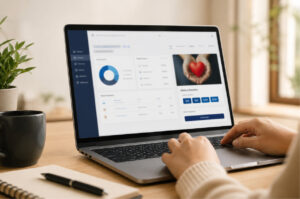
Nonprofits rarely struggle because they have no donor information. The real problem is that the information is scattered across spreadsheets, inboxes, paper files, receipt folders and separate reporting documents. A donor’s contact details may exist in one file, their contribution history in another and their receipt record somewhere else. As the organization grows, every simple question takes longer to answer.
Who donated? When did they give? How much did they contribute? Was the donation received by cash, check or bank transfer? Was a receipt issued? Which campaign or fund did the contribution support? When staff cannot answer these questions quickly, donor administration becomes slower, reporting becomes less dependable and acknowledgements may be delayed.
A focused nonprofit CRM solves this problem by connecting donor records, offline donations, receipts, communication and reporting within one organized workflow. Nonprofits may face hundreds of small administrative problems, but they should not need hundreds of disconnected tools to manage them.
A well-chosen nonprofit CRM can bring these activities into one connected workflow, helping teams spend less time searching for records and more time supporting donors and advancing the organization’s mission.
| Ready to replace scattered donor administration? See how one organized system can simplify donor records, offline donations and receipts. Explore DonorKite |
Why Nonprofits Need More Than Spreadsheets
Spreadsheets are useful when a nonprofit is small and only a few people manage a limited number of contributions. They are familiar, flexible and easy to start. The difficulty appears when the same spreadsheet is expected to behave like a donor database, donation tracker, receipt system, communication record and reporting tool at the same time.
As donor records grow, teams often create additional files for different years, campaigns, branches or staff members. This creates duplicate information and makes it difficult to identify which version is current. Manual filters and formulas may work temporarily, but they depend heavily on the person who created them. When that person is unavailable, even routine reporting can become difficult.
A dedicated platform creates structure that spreadsheets cannot provide consistently. It connects every donor with their contribution history, receipt activity and relevant administrative information. Organizations considering this transition can review how software for donation management compares with spreadsheets before deciding which workflow is more sustainable.
What Should a Focused Nonprofit CRM Help You Manage?
The best nonprofit CRM software is not necessarily the platform with the longest feature list. It is the platform that solves the organization’s actual administrative problems without introducing unnecessary complexity.
For nonprofits that receive and administer offline contributions, the most important capabilities usually include donor management, donation tracking, receipt generation, multichannel delivery, reporting, data import and controlled team access.
The right system should connect these activities while remaining clear about its purpose. Some platforms focus on accepting online donations, while others focus on organizing donor records, offline contributions and the administrative work that follows a donation.
12 Essential Nonprofit CRM Features
A nonprofit CRM should reduce administrative friction, improve record accuracy and make donor information easier to use. The following twelve features are particularly important for organizations managing offline donations and donation receipts.
1. Centralized Donor Profiles
Why it matters: Donor names, contact details, notes and contribution histories are often stored in different files, making it difficult to understand the complete relationship.
What to look for: A searchable donor profile that connects identity, contact information, contribution history, receipt records and relevant communication details.
A strong donor profile should give authorized staff a useful overview without requiring them to search across multiple spreadsheets, inboxes or folders.
2. Complete Donation History
Why it matters: Staff may be able to see a total amount but still struggle to identify individual donation dates, payment methods, supported campaigns or receipt status.
What to look for: A chronological contribution history connected to each donor, including the amount, date, method, supported fund and administrative status.
A complete history helps the organization answer donor questions, prepare reports and recognize repeat supporters more accurately.
3. Offline Donation Tracking
Why it matters: Cash, checks, bank transfers, event collections and in-person gifts are often recorded inconsistently or kept outside the main donor database.
What to look for: A structured process for recording offline contributions with consistent fields and a clear connection to the correct donor.
The system should make offline contributions as visible and searchable as any other donation record, rather than leaving them in separate spreadsheets or paper files.
4. Fast Donation Receipt Generation
Why it matters: Staff may repeatedly copy donor and donation information into Word files, PDFs or receipt templates, increasing workload and the risk of errors.
What to look for: Receipt generation that uses existing donor and donation records instead of requiring the same details to be entered again.
A connected receipt workflow can reduce repetitive work while helping the organization issue acknowledgements more consistently.
5. Configurable and Compliant Receipt Templates
Why it matters: Receipts may use inconsistent wording, omit required information or rely on outdated templates.
What to look for: Configurable templates that support the organization’s identity and include the information required for the relevant jurisdiction and contribution type.
The software should allow templates to be reviewed and updated without forcing staff to rebuild every receipt from the beginning.
6. Email, SMS and WhatsApp Receipt Delivery
Why it matters: A receipt may be generated but remain unsent, or staff may need to switch between several tools to deliver it.
What to look for: A receipt workflow that supports the communication channels donors actually use and keeps delivery connected to the contribution record.
Email, SMS and WhatsApp delivery can improve acknowledgement speed, but the organization should also be able to see whether and when a receipt was sent.
7. Donor Segmentation
Why it matters: Treating every donor as part of one undifferentiated list makes communication, reporting and relationship management less useful.
What to look for: The ability to organize donors by contribution frequency, amount, campaign, location, last donation date or other practical criteria.
Useful segmentation should help teams understand their supporter base without requiring complex manual filters or separate files.
8. Donation and Campaign Reporting
Why it matters: Reports that depend on manual calculations and several spreadsheets take longer to prepare and are more vulnerable to inconsistencies.
What to look for: Searchable and exportable reports based on date ranges, donors, payment methods, campaigns, funds and receipt activity.
Reports should make day-to-day oversight easier and give authorized users access to reliable information without rebuilding every result manually.
9. Bulk Data Import and Export
Why it matters: Organizations may avoid replacing spreadsheets because they already have years of donor and contribution information stored in them.
What to look for: A controlled import process for existing records and dependable export options that keep organizational data accessible.
Import tools should reduce migration work, while export tools should help the nonprofit retain practical ownership of its information.
10. Role-Based User Access
Why it matters: Shared passwords or unrestricted files can expose donor information and make responsibilities unclear.
What to look for: User roles that allow administrators, finance teams, fundraising staff and volunteers to access only the functions and information they need.
Clear permissions make collaboration easier while reducing unnecessary access to sensitive donor and donation records.
11. Audit Trails and Activity Records
Why it matters: When a donation amount, donor record or receipt status changes, the organization may be unable to identify who made the change or why.
What to look for: Activity records that improve accountability and make important updates easier to review.
A reliable audit trail can support internal checks, staff handovers and the correction of administrative mistakes.
12. Connected Donor Communication Records
Why it matters: Staff may not know whether a donor has already received a receipt or acknowledgement, resulting in missed or duplicate messages.
What to look for: Communication and receipt-delivery information connected to the relevant donor and contribution.
Connected communication records help teams provide more consistent follow-up and avoid asking donors for information the organization already has.
How One Connected System Reduces Donor Management Problems
Nonprofit administration is rarely disrupted by one dramatic failure. More often, teams lose time through dozens of small, repeated problems: searching for the latest spreadsheet, recreating a receipt, correcting a duplicate donor profile, manually combining reports or checking several inboxes to confirm whether an acknowledgement was sent.
A connected nonprofit CRM reduces this fragmentation by linking donor records, offline donations, receipt activity and reporting. The goal is not to add another tool, but to replace several disconnected processes with one dependable workflow.
| Common Nonprofit Problem | CRM Capability That Helps |
| Donor data is spread across multiple files | Centralized donor profiles and searchable contribution histories |
| Offline donations are recorded inconsistently | Structured records for cash, checks, bank transfers and other offline contributions |
| Receipts are created one at a time | Receipt generation using stored donor and donation information |
| Receipts are delivered late | Email, SMS or WhatsApp delivery connected to the contribution record |
| Previous receipts are difficult to locate | Receipt records linked with the donor and contribution |
| Reports require hours of spreadsheet work | Organized donation data and exportable reporting |
| Several staff members maintain separate versions | A centralized multi-user platform with role-based access |
| Changes cannot be traced | Activity records and audit logs |
| Existing spreadsheet data feels impossible to move | Batch import and export capabilities |
| Donor follow-up lacks context | Connected donor histories and communication records |
| Ready to organize donor records, offline donations and receipts? See how DonorKite supports a connected nonprofit CRM workflow. Make an Enquiry |
Where DonorKite Fits in a Nonprofit CRM Strategy
After identifying the essential features, the next step is to choose a platform that fits the organization’s actual workflow. A nonprofit primarily looking for online payment processing, event ticketing or peer-to-peer fundraising may require a fundraising platform built for those activities. An organization focused on donor records, offline contributions, receipt administration and reporting needs a system designed around those workflows.
DonorKite is built for that second use case. It helps nonprofits organize donor information, record offline donations, maintain contribution histories, generate receipts, deliver them through email, SMS and WhatsApp, and retain a clearer administrative record.
This focused approach makes DonorKite a practical nonprofit CRM option for small and growing organizations that want to move away from fragmented spreadsheets without adopting an oversized sales or fundraising system.
DonorKite vs Generic CRM Software
Generic CRM platforms are usually built for sales teams. Their central objects are leads, opportunities, deals and pipelines. While they can sometimes be customized for nonprofit use, that customization may require additional setup, technical knowledge and ongoing maintenance.
| Generic Business CRM | DonorKite |
| Designed around leads, accounts and sales opportunities | Designed around donors, offline donations and donation receipts |
| Tracks deals and sales stages | Tracks donor contribution histories and receipt activity |
| May require nonprofit-specific customization | Provides a focused nonprofit donation administration workflow |
| Receipt generation may require another tool | Connects donation information with receipt generation |
| Offline donation fields may need to be created manually | Supports structured offline contribution records |
| Communication may be separated from donation records | Supports receipt delivery through email, SMS and WhatsApp |
DonorKite vs Online Donation Platforms
Online donation platforms are designed to collect contributions through forms, website widgets and payment gateways. They may be essential for nonprofits whose primary need is accepting card payments or running online fundraising campaigns.
DonorKite serves a different purpose. It does not collect or process online donations. It is built to help organizations manage donor information and offline contributions received through methods such as cash, checks and bank transfers. It then supports the administrative work around those contributions, including donation history, receipt generation, receipt delivery and reporting.
Organizations that receive a substantial volume of physical or manually recorded contributions can review a more detailed explanation of offline donation tracking software for nonprofits and the operational problems it solves.
Which Nonprofit CRM Features Do Small Organizations Really Need?
Small nonprofits are often encouraged to purchase complex systems before defining the problem they need to solve. A long feature list may appear impressive, but unused capabilities add implementation work and make daily administration harder.
For a small nonprofit CRM, the most useful capabilities are usually centralized donor profiles, offline donation tracking, contribution histories, receipt generation, multichannel delivery, reporting, data import and simple user permissions. These features support the daily workflow without requiring the organization to implement an oversized enterprise system.
A focused platform can make adoption easier because staff and volunteers are more likely to maintain accurate records when the process is clear and reflects the work they already perform.
Nonprofit CRM Evaluation Checklist
Before selecting software, evaluate whether the platform supports the organization’s real donation workflow. Use the following checklist during product discussions and demonstrations.
| Capability | Question to Ask | Why It Matters |
| Donor profiles | Can staff see contact details, donation history and receipt records together? | Creates one reliable view of each donor. |
| Offline donations | Can the system record cash, checks, bank transfers and event contributions? | Prevents physical contributions from remaining outside the main record. |
| Donation history | Can users filter contributions by donor, date, method, fund or campaign? | Supports service, reporting and future communication. |
| Receipt generation | Can receipts be generated from stored donation information? | Reduces duplicate data entry and errors. |
| Receipt delivery | Can receipts be sent through email, SMS or WhatsApp? | Improves acknowledgement speed and donor convenience. |
| Reporting | Can the team create and export useful donation reports? | Reduces manual spreadsheet preparation. |
| Data migration | Can existing donor and donation records be imported? | Makes implementation realistic for established organizations. |
| Permissions | Can access be controlled by user role? | Protects donor information and clarifies responsibility. |
| Audit history | Can important changes be reviewed? | Improves accountability and record confidence. |
| Data ownership | Can the organization export its records when needed? | Keeps important data accessible. |
Signs Your Organization Has Outgrown Its Current Process
A nonprofit does not need to wait for a major reporting failure before improving its donor management process. Repeated small problems are often the clearest indication that the current approach is no longer sustainable.
- Donor information is stored in several spreadsheets or personal files.
- Staff manually create each donation receipt.
- It takes too long to find a donor’s complete contribution history.
- Offline donations are not always entered consistently.
- Receipts are sometimes delayed, duplicated or difficult to reissue.
- Reports require manual formulas and the combination of multiple files.
- Only one staff member understands the current spreadsheet structure.
- Different team members maintain separate versions of the same records.
- Donor profiles contain duplicates or incomplete information.
- The organization needs a nonprofit CRM but does not need a sales CRM or online payment processor.
When several of these signs appear together, adding another worksheet or receipt template usually postpones the problem rather than solving it. A centralized platform creates a clearer operational foundation.
Build a Stronger Donor Management Workflow
Software alone cannot build donor trust, guarantee retention or replace responsible nonprofit administration. It can, however, remove avoidable friction from the tasks that shape the donor experience. Accurate histories help staff recognize returning supporters. Faster receipts provide prompt acknowledgement. Better records make reporting more dependable. Clear permissions reduce confusion across the team.
Organizations working to improve long-term supporter relationships can explore nonprofit donor retention strategies. Teams spending too much time on receipt preparation can also review how automatic donation receipt software can reduce repetitive work.
A More Organized Donor Management Workflow with DonorKite
Nonprofits should not have to manage donor records in one spreadsheet, offline donations in another, receipts in separate folders and reporting through a collection of manual formulas. These disconnected processes create unnecessary work and make it harder to maintain a complete view of every contribution.
DonorKite brings donor profiles, offline donations, contribution histories, receipt generation, email, SMS and WhatsApp delivery, reporting, imports, permissions and activity records into one focused platform.
For nonprofits, churches, charities, foundations and community organizations whose main need is managing offline donations and donor administration, DonorKite offers a practical alternative to disconnected files and generic business CRM systems.
Explore how DonorKite can help your team create a more organized donor management and receipt workflow.
| See how DonorKite can simplify donor and offline donation management. Discuss your organization’s workflow with the DonorKite team. Make an Enquiry |